By default, MBR CRM offers a global unsubscribe and other advanced email preference options
With this extension, you can extend the preferences center to allow contacts to opt-out or into specific tags that you use for segmentation or different topics. You can also allow contacts to opt out of the funnel they are active in. You can download the Advance Preference extension from the MBR CRM website.
Preferences Page
The preferences page is what will be displayed to the user when they click the unsubscribe link in any email sent by MBR CRM. This page cannot be edited.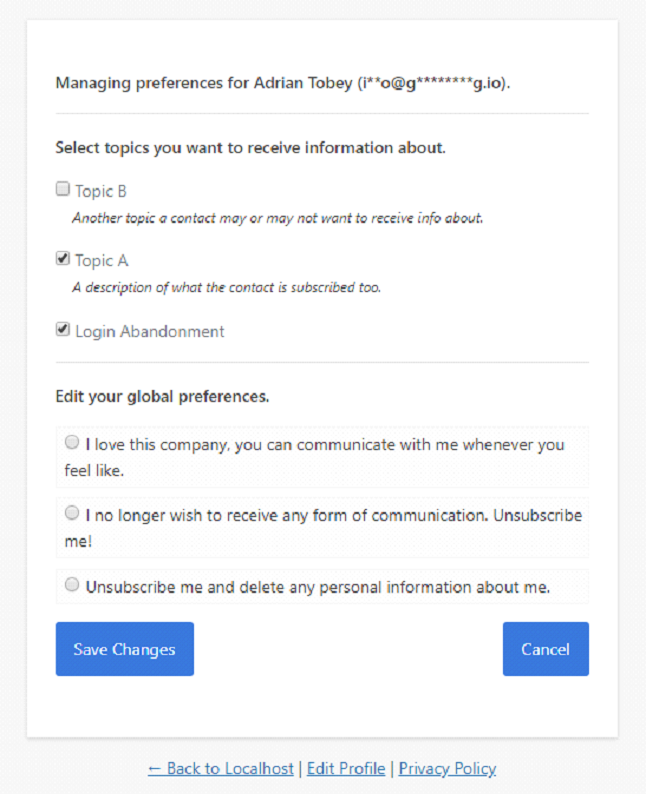
Manage the Preferences Page
Enabling the advance preference extension creates a new column in the Tags manager. Using this column you can determine where this tag will be displayed on the preference page.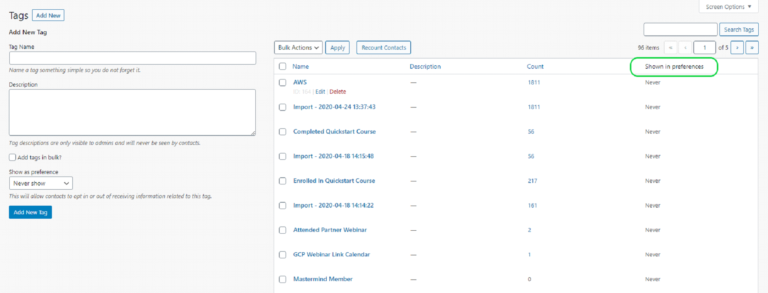
You can manage the status of the viewing property by editing the show as a preference field of the tag.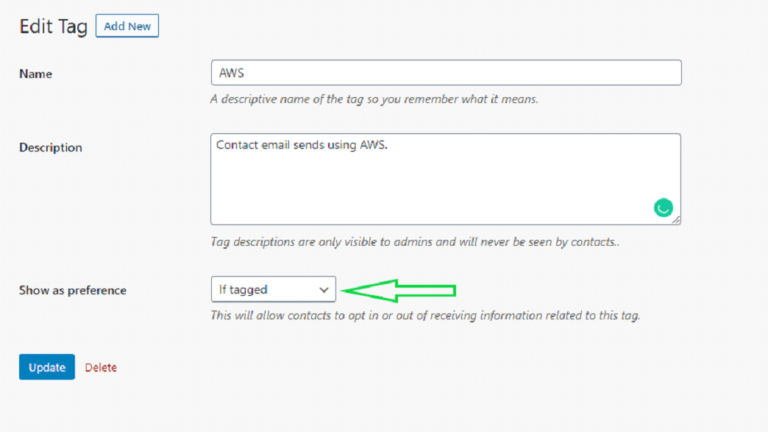
Preferences Settings
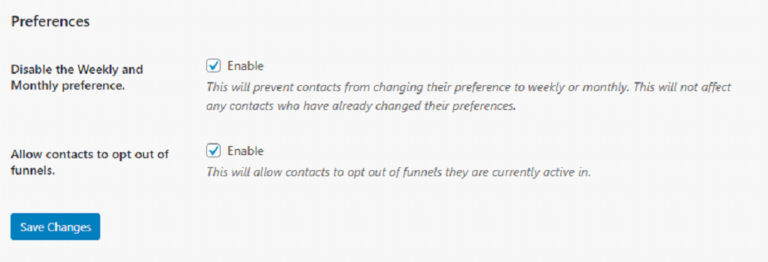
MBR CRM provides additional settings that will prevent users from changing their preference to weekly or monthly.
You can find these settings under Mbrcrm > Settings > Compliance.