
How to Backup MBR CRM

The Backup & Restore extension provides a simple way for you to backup MBR CRM safely and restore it without having to make any other changes to your site


To backup MBR CRM go to Mbrcrm > Tools > Backup 
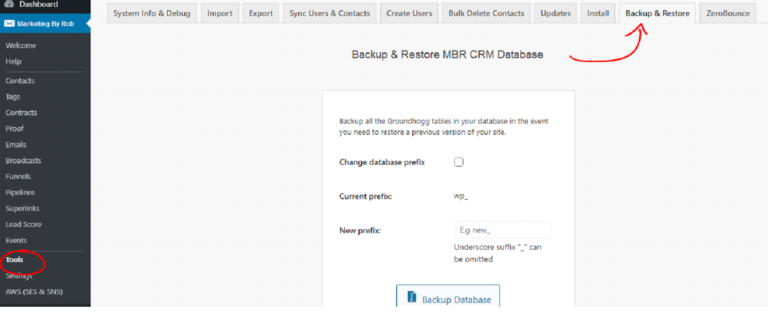
Backup & Restore CRM database interface for data backup, database prefix change, and site data security in marketing and CRM systems.
When ready click the big backup button!
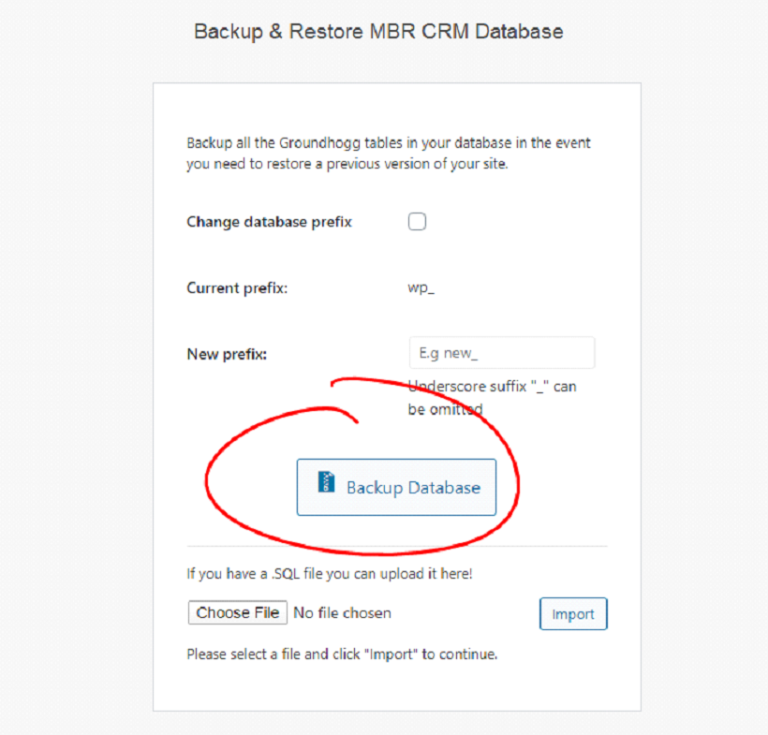
Backup and restore MBR CRM database for website data protection and WordPress site recovery.
You can optionally change the database prefix if you are migrating to a new site with a different table name structure. Once the backup is complete you will need to download the file to your computer. Downloading the backup file will remove it from your server instantly.
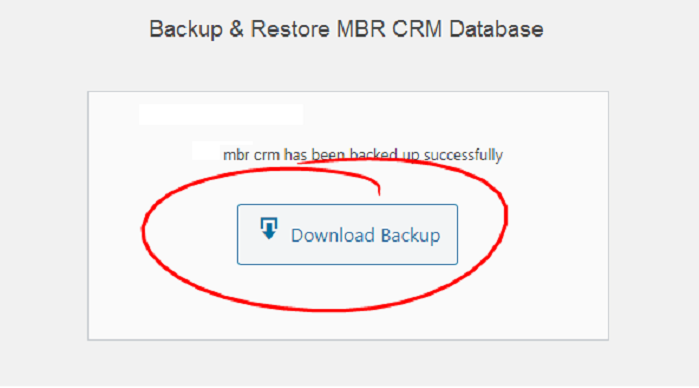

Backup and restore MBR CRM database, successfully download backup button, data recovery process, marketing by Rob.

author avatar
support3
Facebook
Twitter
LinkedIn
Pinterest

Get unlimited web design and maintenance starting at $500/month

Single post
Skip to content